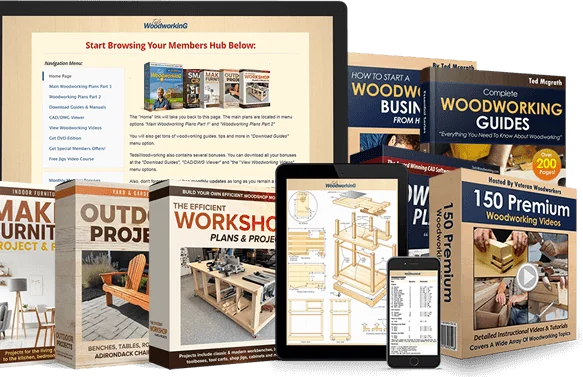
The TedsWoodworking library is built for finding things quickly: a large catalogue of woodworking designs, each carrying cut lists and materials lists. Below, the main advantages are laid out in plain terms, followed by the limits that come with them, so you can weigh the library against your own bench.
Run a search across the catalogue
Choose a subject and a difficulty level, then open the design that fits your tools.
Run Your First SearchOne charge of $67 · billed through ClickBank
Reaching the right design fast
A big catalogue is only useful if the right design is easy to find. The vendor sorts its designs into more than 100 categories and lets you filter by skill level, moving from beginner through intermediate to expert.
- Narrow by subject. Furniture, storage, outdoor, kitchen and children’s projects are all separate groups.
- Narrow by difficulty. Set the level to match your experience and your time.
- Scan the list first. Read each entry’s summary before you open the full design.
Cut lists and materials lists
These two lists do most of the practical work. The cut list gives each part’s size and count. The materials list names the lumber, sheet goods and hardware, so the shopping trip happens once.
The sample drawing below shows the sort of exploded view that accompanies a design. It is an illustration of the layout, not a finished build.
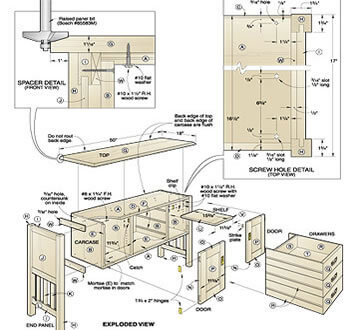
According to the listing, each design also includes step-by-step instructions and multi-angle drawings. The inventory page gives the full picture of an order.
PDF or DWG, your choice
Designs arrive as PDF or DWG. PDF is the simplest route: print it, pin it up and make notes on paper. DWG is the CAD format, and the bundled viewer handles it. CAD users may prefer DWG, while anyone else will likely print PDFs.
Measurements appear in imperial and metric on most designs, which helps if your lumber and your drawings use different systems. The PDF article walks through opening and printing each format.
Use it from any screen
Sign in to the members area from a phone, tablet or computer. A quick look at a cut list at the lumber yard or a drawing at the bench takes seconds. Nothing has to be installed beyond the viewer for DWG files.
Add-ons that teach
Three add-ons come with the library, according to the vendor:
- DWG/CAD Plan Viewer opens the drafting files and, the vendor adds, can edit and make new drawings.
- 150 Premium Videos supply more than 150 lessons, useful when a written step is hard to picture.
- Complete Woodworking Guides run past 200 pages on hand tools and joinery, dovetails included.
The add-ons article describes each one, and the price page shows how they fit inside the single $67 charge.
Move from a list to a shopping trip
Open a design, read its cut list and price out the lumber before you leave home.
Open the Catalogue60-day refund window · confirmation message to keep
Fresh designs over time
The vendor reports that new designs arrive every month, and a request form in the members area lets you ask for a custom build. We have not tracked how many arrive in a given month, so read that as the vendor’s pledge rather than a measured rate.
Where the advantages end
Benefits only count when the limits suit you. Keep these in view:
- Tools. Most designs assume a table saw, a drill, clamps and a sander.
- Local rules. Designs are not made to meet any building code, so consult your local building office before a shed or other structure.
- Skill. A beginner label describes the design, not what you will end up with.
- Unverified claims. The design count, the video count and the monthly pace are the vendor’s own.
Refund route
The purchase carries a 60-day money-back guarantee. If the library falls short, keep the confirmation message and write to the vendor’s support page with your order details. The vendor states that repayment follows within 48 hours. ClickBank’s order desk at clkbank.com is the second option for payment matters.
Safety with finished projects
Even a well-written design needs care. Confirm local building rules before erecting any structure, follow every tool manual, and keep eye and hearing protection on. The safety page covers these in more detail, and the review gives our overall rating.
Put the catalogue to work in your shop
Designs, formats and three add-ons for one payment of $67.
Get the Library for $67Digital access after checkout