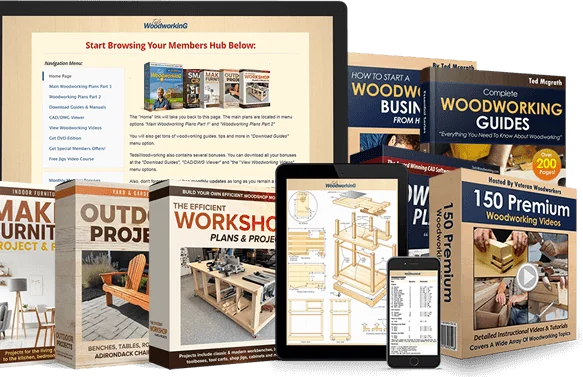
A woodworking design is only as safe as the way it gets built. This page sets out the checks we would run before cutting anything from a TedsWoodworking design: municipal rules for structures, power tool protection, the readers needed for each file type and the limits of a beginner tag.
Study the design before you cut
Read the whole entry, check the cut list against your stock, then begin. One charge of $67.
Open the Design LibraryBilled through ClickBank
Municipal rules come first
The vendor is explicit that its designs are not built to meet any building code. That matters most for sheds, decks, bunk beds and other frames people stand on or sleep near. Before you start, call your municipal building office. Ask about permits, height limits, setbacks from property lines and anchoring requirements.
Local regulations determine where a structure may sit and how it must be fixed down. A design supplies the parts and the sequence of assembly. It cannot tell you what your town permits.
Power tools call for discipline
The vendor says most designs assume a table saw, a drill, clamps and a sander. Each brings its own hazards, so a few habits help:
- Follow the manual. It describes that machine’s guards, settings and warnings.
- Protect your eyes. Chips and kickback can reach them quickly.
- Protect your hearing. Saws and sanders are loud over long sessions.
- Clamp the stock. Secure work before cutting, sanding or drilling.
- Power down first. Disconnect the tool before any blade or bit change.
Keep the area lit and uncluttered. Children and pets belong outside the work zone while a machine runs.
Reading a difficulty tag
Most designs carry a beginner tag, with others marked intermediate or expert. The tag reflects how demanding the build is. It says nothing about whether your cuts will be clean or your joints sound. Read the entire design, compare its cut list with your boards, and confirm you have the tools and floor space.
If a step is unclear, stop and find a clearer method before you touch the stock. A design you do not fully follow is not one to start yet.
Files and the software to open them
Two formats arrive, and each needs its own tool:
- PDF. Opens in any free reader. Check the printed scale before measuring from a paper copy.
- DWG. A CAD drawing that requires the DWG/CAD Plan Viewer. The vendor says the viewer can also edit and create drawings.
Store the files somewhere you can find again, and keep a backup. The PDF article explains each format in more detail.
Checking your lumber
The materials list tells you what to buy, but it does not vouch for the wood. Inspect every board before you cut. Set aside anything cracked, knotted in a load-bearing spot or warped enough to throw off a joint. Keep stock flat, dry and out of the work area until you need it.
Scope of this page
This page covers woodworking safety, tools and local rules. If you are unsure about a machine, a structure or a regulation, ask a qualified person nearby, such as your building office or an experienced woodworker.
Choose a design you can build safely
Pick one that suits your tools and your space, and clear local rules first.
Browse DesignsConfirmation message · 60-day refund window
Refund route
The purchase carries a 60-day money-back guarantee. If the library does not work for you, keep the confirmation message and write to the vendor’s support page with your order details. The vendor states repayment within 48 hours. ClickBank’s order desk, at clkbank.com, covers payment matters.
Further reading
The review sets out our rating, the FAQ answers common access questions, and the inventory page lists what the order contains.
Start with a design that fits your shop
Check local rules first, then open the library for one payment of $67.
Open the Library60-day refund window · ClickBank order support at clkbank.com