
The Teds Woodworking bonuses are three add-ons that come with the plan library: a DWG/CAD viewer, a set of premium woodworking videos and a collection of woodworking guides. Each one supports a different part of a build, from opening a drawing to learning a joint. Here is what the seller says each bonus contains and where it helps most.
Open the library and its add-ons
The plans, the viewer, the videos and the guides for one payment of $67.
Claim the Bonuses With the LibraryClickBank is the retailer · the total shows at checkout


The three Teds Woodworking bonuses in order
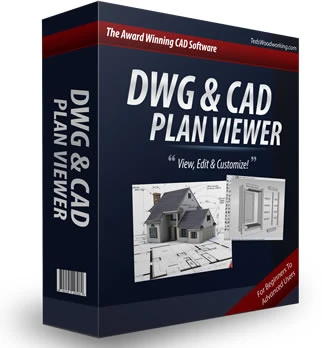
DWG/CAD Plan Viewer: software for opening the DWG drawings in the library, which the seller also says can edit and create plans.
150 Premium Videos: more than 150 woodworking videos with step-by-step instruction, which the seller says are hosted by experienced woodworkers.
Complete Woodworking Guides: over 200 pages covering hand tools, dovetail joints and related topics, according to the seller.
Reading the bonus list next to a plan
Suppose you pick a plan for a small bookcase. The plan gives you the cut list and the materials list, which is where the library does its main work. If the drawing is a DWG file, the viewer is the tool that opens it. If a joint in the plan is new to you, the video lessons can show the motion before you attempt it on your own stock. And the guides can give you background on the hand tools and joints the plan mentions without assuming you already know them.
Seen that way, each bonus has a clear job, and none of them stands in for the plan itself. The plan tells you what to build, and the bonuses help you get through the parts that slow a beginner down.
Where the viewer earns its place
The viewer matters only for the DWG files in the library. PDF plans open in any free reader, so a builder who works from printed sheets can skip the viewer entirely. A builder who wants to adjust a drawing, or who works in CAD already, will get more from it. The seller’s description lists editing and creation as features, so it is worth opening a DWG plan in the viewer once you have the order in hand.
How the video lessons fit a project
The videos suit people who learn a joint faster by watching it done than by reading a set of steps. The seller describes them as step-by-step instruction from experienced builders. Pair a video with the matching plan: the video shows the motion, while the plan supplies the measurements and the cut list.
What the guides cover
The guides are reference material. The seller describes them as more than 200 pages on hand tools and dovetail joints, along with other topics. Keep them on the shelf beside the plans. When a plan calls for a joint you have not cut before, the guide gives you a place to check the basics before you start.
Reading the seller’s claims about the add-ons
The counts in this article, over 150 videos and over 200 pages, come from the seller. We have not counted the videos or the pages ourselves, and the same goes for how the videos are presented. The viewer’s editing and creation features are also the seller’s description. Read each figure as a claim you can check after you sign in, and look at the bonus list on the order page before you pay, so you know exactly what the order contains. The hub page lists the same bonuses beside the rest of the product facts.
That habit is sensible for any bundle. A bonus earns its place by being useful to your work, and the only reliable way to weigh usefulness is to open the item and see whether it helps the project in front of you. A viewer that never gets used is clutter, while a set of guides that answers a question on the day you need it is worth its place on the shelf.
Matching each bonus to your shop
Think about the way you already work before you settle on which bonus to lean on. A builder with a CAD habit will open the viewer first. A builder who learns by watching will spend time with the videos. A builder who prefers hand tools and paper references will reach for the guides. None of the three is required to use the plan library, and the plans stand on their own as a set of files.
If you are unsure about the library as a whole, the price page sets the bonuses beside the single payment, and the what-is walkthrough explains how the members area is laid out.
Start with the bonus that fits your work
Viewer, videos and guides come with the library in one order.
See the Full OrderSingle payment of $67 · confirm the total before you pay
A first session with the add-ons
Once you sign in, spend a few minutes on the add-ons before you start a project. Open the DWG/CAD Plan Viewer and confirm it launches on the device you plan to use in the workshop. Play a short segment of one video, so you know how the lessons are presented. Then skim the table of contents of the guides, if one is shown, and note the chapters on hand tools and joinery. That quick pass tells you which bonus you will return to first, and it saves a search later when a plan asks for a joint you have not cut before.
Common questions about the add-ons
Do I need the bonuses to use the plans? No. PDF plans open in any free reader, so the plans work without the viewer. The viewer is needed only for DWG drawings.
Can the bonuses replace the cut list? No. The cut list and the materials list belong to each plan, and the bonuses sit beside them as support material.
Who are the bonuses for? The viewer suits people who work with CAD files, the videos suit people who learn by watching, and the guides suit people who want reference pages on hand tools and joinery.
Pick the add-on that matches your next build
The viewer, the videos and the guides come with the library in one order.
Explore the Add-OnsClickBank is the retailer · single payment of $67
Bonuses and the plans, together
A useful way to think about the bundle is as a plan library with three support tools attached. The plans carry the measurements, the viewer opens the drawings that need it, the videos show the motions that are hard to picture from a page, and the guides hold the background reading. Keep that order in mind and the bundle makes sense: the plan comes first, and each bonus serves a step inside it.
The plans are the core of what you buy, and the bonuses support them. The seller presents the three add-ons as part of the order, and the plan library is what you will open most often. Read the TedsWoodworking hub for the product facts in one list, then come back to these bonuses when a project needs them.
Ready for the plans and the add-ons?
One payment of $67 covers the library, the viewer, the videos and the guides.
Get the Library and Add-OnsCheckout runs through ClickBank · keep your confirmation email
For the file side of the library, the PDF guide explains how the plans print and open, and the full review gives our editorial score for the whole package.


