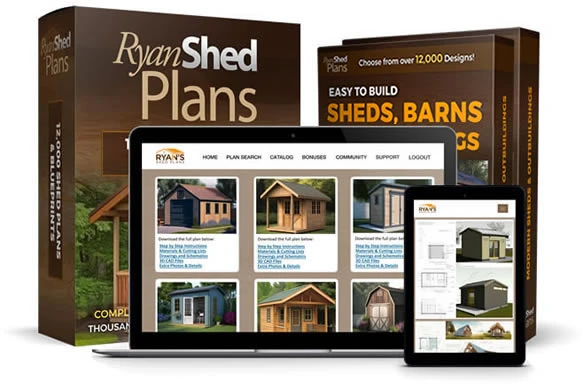
TedsWoodworking is an online collection of woodworking designs, offered for one charge of $67. This review covers what the vendor describes, which kind of builder benefits most, and the weak spots to weigh before you pay. Our editorial rating is 3.7 out of 5, and that rating is ours alone.
Open the catalogue and check the designs yourself
One charge of $67 for the library, the formats and the add-ons, with a 60-day refund window.
Explore the CatalogueBilled through ClickBank · save the confirmation message
What it is, without the sales talk
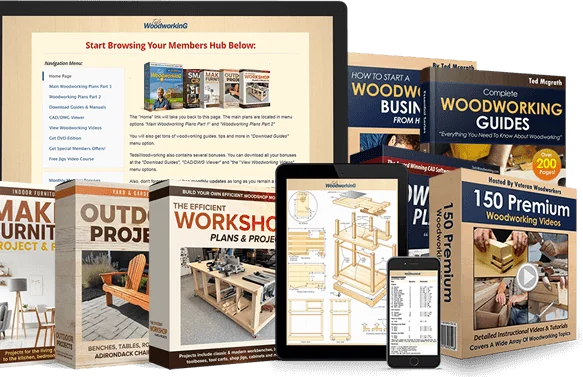
TedsWoodworking is a members area full of woodworking designs. You search by subject and difficulty, then download the design you picked. Designs come as PDFs for printing or as DWG drawings for CAD programs. The vendor describes each design as including build steps, cut lists, materials lists and drawings with exploded views.
The library is digital: what you receive is a login and the files behind it.
How the catalogue is organised
The vendor puts the design count near 16,000. We have not verified that number, so treat it as a claim. What we can check is the layout:
- Subject groups. Furniture, storage, outdoor pieces, kitchen and dining, children’s projects and workshop tools.
- Difficulty tags. Beginner, intermediate and expert.
- Cut lists. Parts, sizes and counts, so you can mark stock in one pass.
- Materials lists. Lumber, panels and hardware named up front.
- Drawings. Multi-angle and exploded views that show how each joint closes.
The inventory page and the benefits page describe these parts in more depth.
The strongest points
Search is the standout. A large catalogue is only useful if you can reach the design you need, and subject plus difficulty filters get you there faster than leafing through a book. The shopping lists are the second strength, because they convert a drawing into an order you can place.
The two formats matter too. PDFs print cleanly on a home printer. DWG files open in the bundled viewer, which is a real help if you work in CAD. The three add-ons, according to the vendor, add video and written instruction to the package.
The price is also straightforward. A single charge of $67 is a modest entry point for a library this size, and the 60-day refund window gives you a defined way out if it misses.
The weak points
Several limits deserve attention before you commit:
- The design count is unverified. The 16,000 figure is the vendor’s, and we did not audit it.
- Designs are not code-compliant. They are not made to meet any building code, so local checks and approvals fall to you.
- Tools are a real cost. Most designs assume a table saw, a drill, clamps and a sander, per the vendor. Missing tools raise the total.
- Difficulty labels are not guarantees. A beginner tag describes the design, not your outcome.
Our rating, area by area
Our overall figure is 3.7 out of 5, built from six areas. The table shows each one on our own scale:
| Area | Our score | Why |
|---|---|---|
| Contents | 4 | Broad library with cut lists and materials lists for each design |
| Evidence | 3 | Several headline numbers come from the vendor and remain unchecked |
| Transparency | 3.5 | A support page and a business address are listed, though some claims stay unverified |
| Value | 4.5 | A single $67 charge for a large library plus add-ons |
| Guarantee | 4 | A 60-day window, a support route and a stated two-day repayment |
| Ordering | 3 | Payment runs through ClickBank, so confirm the total before you pay |
These are our own editorial calls, not buyer ratings. The comparison page sets the library against free designs and single books.
Who should consider it
It suits people who build from written designs and want a wide selection in one place. It fits a hobbyist who prefers to plan from the cut list upward, and it works for anyone who prints designs at home or prefers CAD files.
It is a poorer fit for someone who wants a finished item delivered, or for someone without tools or a workspace. Read the safety page before you settle how far you want to take power tools.
Questions readers raise
Most questions cluster around the refund, the file types and the price. The refund runs through the vendor’s support page within the 60-day window. The file types are PDF and DWG, with the viewer covering DWG. The charge is $67, once. The FAQ page answers the rest, and the complaints article addresses the worries people voice most often.
See whether a design fits your space
Filter by difficulty, read the cut list, then place your order.
Get the Designs for $67One charge of $67 · 60-day refund window
Final assessment
We rate TedsWoodworking 3.7 out of 5. It is a large, searchable catalogue with cut lists, materials lists and PDF and DWG files, offered for $67 once. The vendor’s headline numbers remain unverified, and the designs need local checks and real tools. If those limits match your situation, the catalogue is a sensible place to begin.
Begin with a design that suits your shop
Narrow by difficulty, check the materials list and order when you are ready.
Order TedsWoodworkingKeep the confirmation message · payment support at clkbank.com
Refund and support route
The purchase carries a 60-day money-back promise. To claim it, keep the confirmation message, then write to the vendor through its support page with your order details. The vendor says repayment follows within 48 hours. For payment questions, ClickBank’s order desk at clkbank.com is the other option.
A note on safety
Designs are not built to meet any building code, so consult your local building office before a shed or any other frame goes up. Follow each tool’s manual, and keep eye and hearing protection in use. DWG files require the viewer, and PDF files need a free reader. A beginner tag offers no assurance of safety.
For background reading, see our 2026 reviews article and the official website guide.