Readers tend to ask the same handful of things about TedsWoodworking: what it costs, what the library is made of, how access works and how a refund would go. The answers below keep close to the vendor’s own listing, and where a number comes from the vendor, we flag it as such.
Check the total before you commit
The checkout page lists the $67 figure and the refund terms ahead of payment.
Open the Checkout PageSingle charge through ClickBank
What is this product?
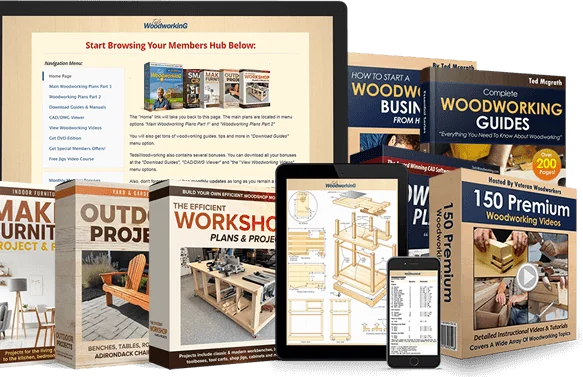
It is a catalogue of woodworking designs, reachable from a members area. A person searches the designs by subject and by difficulty, then downloads the plan they want. The vendor puts the number of designs at roughly 16,000, a figure we have not tallied. Every design is supposed to come with cut lists, a list of materials and drawings that show the parts from several angles, according to the vendor.
What is the price?
One charge of $67 is the offer on the page we looked at. Watch the checkout summary, because it is the place where any extra line would appear.
How do I get in?
Once payment clears, the vendor describes instant entry to the members area. You log in from a phone, a tablet or a computer. Hold on to the confirmation message, since it carries the reference you would quote to the vendor or to ClickBank.
What file formats are there?
Designs arrive as PDF or DWG. The PDF version prints on an ordinary home printer and opens in a free reader. The DWG version is for CAD software, and it needs the viewer that comes with the purchase. Most designs are offered in both imperial and metric measures.
Can I pick up one design at a time?
No. According to the vendor, individual designs are not sold separately, so the library is the only purchase route.
Which tools do the projects need?
The vendor’s own description says a table saw, a drill, clamps and a sander cover most of the designs. The materials and tools section of each plan spells out what it calls for, so read it before you buy lumber.
Browse designs that match your bench
Narrow the search by subject and difficulty, then read the list for the design you pick.
Start Browsing the LibraryRefund window of 60 days from the vendor
Are the designs beginner-friendly?
The vendor calls most of them beginner-level, with a smaller share intermediate and a few expert. That label describes how hard the build is. It does not tell you how your own piece will come out, so go through every step before the first cut.
Are the designs approved for building codes?
They are not. The vendor states outright that the designs are not made to satisfy any building code. A shed, a deck, a bunk bed or any other frame needs a call to your local building office first, because local regulations govern what you may erect.
What happens if I ask for my money back?
Inside 60 days, send the vendor’s help desk a note that includes your order information. The vendor claims repayment within two days. Keep the confirmation message nearby, and if the vendor is slow, ClickBank’s order desk at clkbank.com is the second route.
Is the seller trustworthy?
ClickBank processes the transaction, and the vendor lists a Texas street address and a help desk. We could not confirm every claim the vendor makes, such as the design count, so we treat those as the vendor’s words. The legitimacy article explains the checks we ran.
Still unsure? Read the order page first
Price, format list and refund terms all appear there before payment.
Visit the Order PageOne charge through ClickBank
Where to look next
The full review weighs the strengths and weak points, and the price breakdown walks through the charge line by line. For ordering steps, see the buying guide, and for the official route, see how to reach the vendor’s order page.
Open the designs
Searchable plans, cut lists and three add-ons for a single payment of $67.
Open the LibrarySixty-day refund option