The safest way to buy My Shed Plans is to start from the order buttons on this page, check the total on the seller’s order page, and finish inside ClickBank’s checkout. The steps below cover each screen, the points to check and what to keep afterwards.
Start from the order page button
The button opens the seller’s order page, where the $37 total is shown before you pay.
Go to the Order Page$37 paid once · ClickBank is the retailer
The order route, step by step
- Click a button on this site. It opens the order page for the shed plan library.
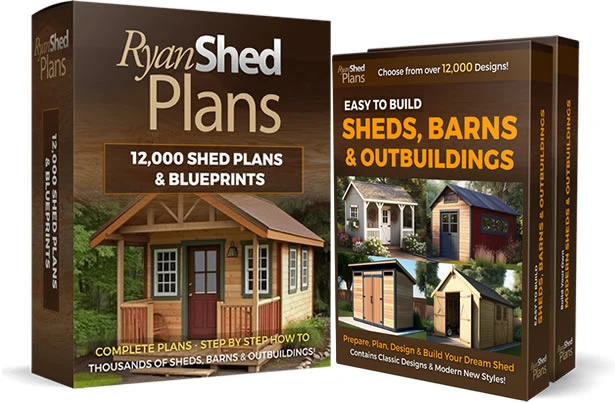
- Read the offer. The page should describe $37 paid once for the library and its four bonuses.
- Check the total before card details. The figure should read $37 at this stage.
- Complete the payment in ClickBank’s checkout. That is the secure step for card details.
- Save the confirmation email. It is the reference for any support request or refund.
- Sign in to the members area. Start with the shed plan that matches your yard.
Each step has a single job. Do not skip the total check, and do not enter card details on any page that does not show the offer.
Why the official order page matters
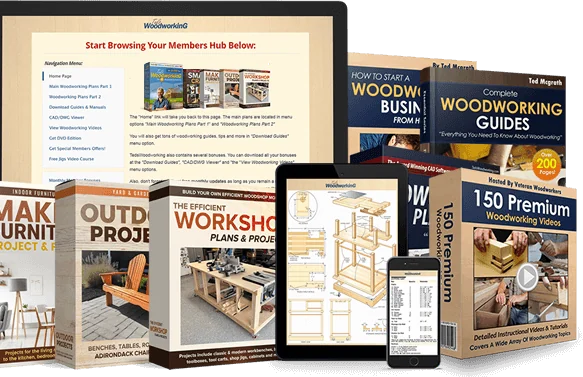
The library is delivered by the seller through its members area, and the sale runs through ClickBank as the retailer. An order placed through another route may not come with the same members area, the same support desk or the same guarantee. Buying through the order page keeps those three things together.
It also keeps the price honest. The order page shows the offer the seller makes, so you can compare the total with $37 before you pay.
Marketplaces and file sites
Marketplaces and file-sharing sites are a common place for copies of paid plans to appear. Those copies are not the seller’s library. They do not come with the seller’s members area, its ticket support or its 60-day refund promise. Skip them, even when a listing looks cheap.
What to check at checkout
- The total. It should match $37, paid once.
- The optional DVD. Only add it if you want a physical disc. The seller’s DVD-ROM is offered at checkout, ships in 12-18 working days (seller) and is meant for a computer.
- The payment processor. ClickBank handles the payment.
- The confirmation. Watch for the confirmation email once payment goes through.
If any of these look different from the page you read, pause and check the order page again.
Confirm the $37 total, then continue
Check the offer on the order page, then complete payment inside ClickBank’s checkout.
Continue to the Order PagePayment handled by ClickBank · save your order confirmation
Common slips to avoid
Three slips are easy to make with any online order. The first is starting from a search result rather than the buttons on this site, since search results can lead to copies. The second is closing the checkout before the confirmation arrives, which leaves you without the reference you need. The third is adding the optional disc by accident, so read the checkout before you finish. Each one takes a few seconds to avoid.
After you order
Once the order clears, sign in to the members area. Download the zip file for the plan you want, unzip it, and open the PDFs in a free Adobe Acrobat Reader. Use the PDF search to find the blueprint you need. Save the order confirmation somewhere safe, since it holds the order details the seller’s help desk will ask for if you need help.
The what’s included page explains the members area, and the FAQ covers the common questions about downloads and support.
Local rules before you build
Buying the plans does not settle your local rules. Check permit, size, setback and foundation requirements with your local office before you order lumber, call 811 before digging footings in the US, follow every tool manual, wear eye and hearing protection, and get a helper to lift wall frames and roof parts. A plan from the library does not make a shed meet your code.
Ready to order from the official page?
$37 paid once, the shed plan library, four bonuses and a 60-day refund promise.
Order My Shed PlansClickBank’s order desk at clkbank.com · save your order confirmation