Most questions about My Shed Plans come down to four things: how the files open, how to get help, what the optional disc is, and how a refund is requested. The answers below stick to what the seller states and mark the points where the seller’s word is all we have.
Check the order details before you start
The order page shows the offer, the guarantee and the checkout total in one place.
Open the Order Page$37 paid once · ClickBank is the retailer
Getting the plans open
Designs come as zip archives holding PDFs. Sign in to the members area, grab the archive, unpack it, and view the PDFs in a free Adobe Acrobat Reader. The vendor’s wording points to that reader as the simplest way to view the drawings.
Inside a PDF, the search box does the heavy lifting. One file may bundle several drawings, so looking up a roof shape or a part label beats paging through. Print what you need at home, or open the file on a tablet out in the yard.
Download times
Archives are heavy, and the vendor says a transfer can run for a while. Begin the transfer well before you need the drawings, and steer clear of unstable connections where possible. The transfer happens only once, but the files it delivers are the entire library for you, so patience pays.
Help and support hours
Questions go to the vendor’s help desk via ticket forms. Hours are listed as 8am to 6pm, Monday through Friday. No phone line exists, and the page prints no email address, so tickets are the only channel. Note the moment you submit one, and keep the order confirmation nearby.
The optional DVD
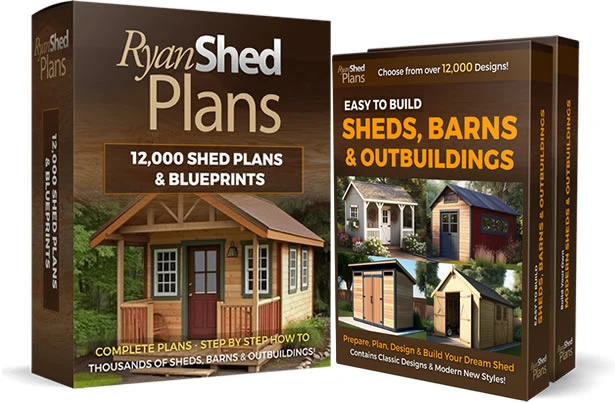
A physical copy can be added during checkout: a PC DVD-ROM of the core designs, mailed to you. It is not built for a television or home player. If a disc appeals more than a download, select it there, and review the checkout summary to see how it changes the total.
Custom plans
Should your footprint be absent from the library, a custom request form lives in the members area. Input the dimensions and outline, and the vendor says its drafting team responds within 2 weeks or less. Accuracy matters here, since the draft only reflects the numbers you supply.
Start with the library and the bonuses
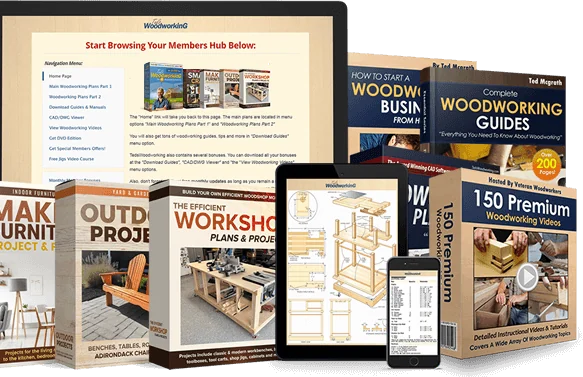
The plan library, four bonuses and the custom request form, for $37 paid once.
Get My Shed PlansSave your order confirmation · order support through ClickBank
Refunds and the guarantee
A 60-day refund promise applies to the order. For a refund, hold on to the receipt email, write to the vendor’s help desk including order specifics, and say plainly what you are asking for. When that route stalls, ClickBank’s order desk at clkbank.com is the fallback, because ClickBank processes the transaction.
Retain a copy of each message you exchange. A written trail speeds up any follow-up and shows precisely what was requested and when.
Local rules and safety
Start with this question: does a plan satisfy your municipality? It does not carry that approval. Measure your permit needs, size ceiling, setback distances and foundation demands against your local office first. In the US, dial 811 before footings go in, study every tool guide, wear eye and hearing protection at each cut, and bring in a helper for lifting frames and roof pieces.
Before you contact support
Have three things ready: the confirmation email, the name of the plan or library section you are asking about, and a short description of the problem. A ticket with those items gives the help desk what it needs in one message. Note the date and time you sent it. The seller’s hours run Monday to Friday, so a message sent over a weekend is likely to be answered on a working day.
What the FAQ cannot answer
The FAQ covers the seller’s stated terms. It does not promise a build outcome, a turnaround beyond what the seller states, or a result on your lot. Questions that reach past the published terms belong with the vendor’s help desk before checkout, and anything about your site belongs with your local office before the first board goes up.
Ready to get the shed library?
$37 paid once, the library, four bonuses and a 60-day refund promise.
Order My Shed PlansClickBank’s order desk at clkbank.com · save your order confirmation