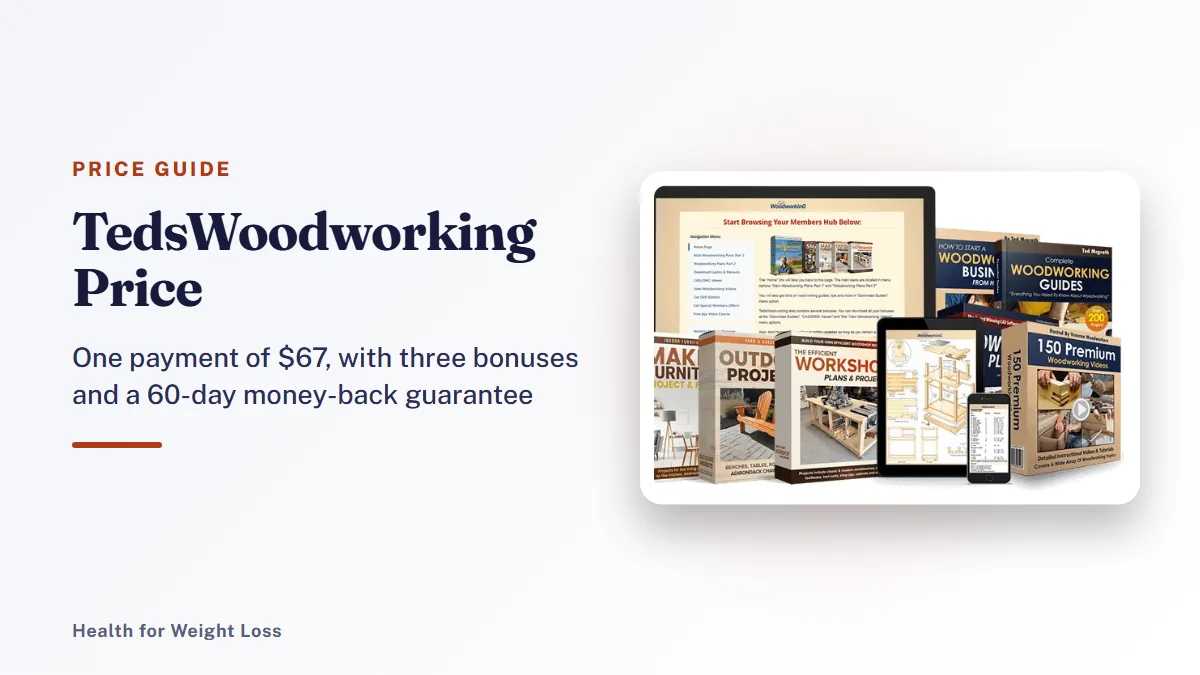
The Teds Woodworking price is $67, paid once, for the plan library and its three bonuses. This guide shows what the seller says the charge covers, what sits outside it, how to confirm the total at checkout and what the refund route looks like. Every price figure on this page is that one $67.
Check the $67 total at checkout
One payment, the three bonuses and the 60-day guarantee route.
Order for $67ClickBank is the retailer · confirm the total first
What the one payment covers
On the seller’s terms, the charge is $67 once, and the seller calls the access lifetime. Per that wording, the order includes the following:
- The plan library. Plans in both PDF and DWG, searchable, each carrying cut and materials lists.
- Monthly additions. The seller adds five to eight plans in a typical month.
- A custom request form. Members can ask the seller to draft a plan, at no extra charge per the seller.
- Three bonuses. Covered in the next section.
For a buyer, the practical question is whether the library is worth one payment of this size. The answer depends on how many plans you expect to build, which we cover further down. For the line-by-line charge, see the price page.


The three bonuses in the order
The three bonuses appear in the seller’s own order. None of them shows a separate price on the order page we checked.
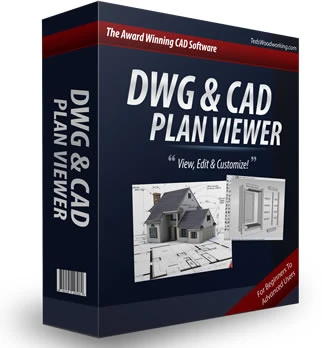
- DWG/CAD Plan Viewer. Opens DWG drawings; the seller adds that it also handles editing and creation.
- 150 Premium Videos. More than 150 woodworking videos with step-by-step instruction, the seller reports.
- Complete Woodworking Guides. Over 200 pages, per the seller, on hand tools, dovetail joints and other topics.
The bonuses article explains how each one fits into a project, if you want more detail on the set.
Weighing the bonuses against your plans
The viewer matters only if you work with DWG files, because PDF plans open in any free reader. The videos suit people who learn a joint by watching it done. The guides suit people who want reference material on hand tools and joinery alongside the plans. If none of those fits how you work, the library still stands on the plans themselves, and the bonuses are a bonus rather than the reason to buy.
How the $67 compares with single plans
Plans are not sold singly, the seller notes, so no per-plan figure exists to set beside the $67. The useful comparison is with your own list. Write down the projects you already want to build, count them and set that count against the single payment. If you expect a shed, a bookcase and two outdoor benches, you have four builds to weigh, and the library covers those and a good deal more. If you only want one small shelf, the arithmetic is harder to justify, and it is worth admitting that to yourself before you pay.
What the charge leaves to you
A single payment does not pay for everything a build involves. Budget for these items separately:
- Lumber and hardware. The materials list shows what to buy, and the price depends on your local yard.
- Tools. Typical plans, the seller notes, expect a table saw, drill, clamps and sander.
- The DVD or USB copy. A version is offered at checkout; we did not see its price.
- Local approvals. Your building department sets what any structure must meet.
Checking the total before you pay
Start from one of the buttons on this page, then read the total on the checkout screen. It should show $67 as a single payment. ClickBank runs the transaction, and the seller’s FAQ describes card or PayPal payment. If a screen asks for payment details without showing a price, step back and begin again from this site. Save a screenshot of the total if you like, so you can compare it with your confirmation email later.
Confirm the figure, then continue
The total should read $67 before any card details are entered.
Continue at $67Single charge · 60-day refund route
What to check on the checkout screen
Before you confirm, look at four things on the checkout screen. The product should be named TedsWoodworking. The amount should read $67 as one payment. The retailer should be ClickBank. And the order should lead to the members area after payment, as the seller describes. If any one of those does not match, stop and start again from a button on this site. Copy the total into your notes, so that the confirmation email and any support request tell the same story later.
The 60-day guarantee and the refund route
The purchase carries a 60-day money-back guarantee, and the route has three parts:
- Keep the confirmation email. It holds the order details the seller will ask for.
- Write through the seller’s support page. Give your order details and say you want a refund. Refunds, per the seller, arrive within 48 hours.
- Use ClickBank’s order desk if needed. Payment questions can go to clkbank.com.
Is $67 a fair price?
For a catalogue with a large set of plans, two file formats, cut and materials lists and three bonuses, $67 paid once is a low starting point. Our editorial score gives value 4.5 out of 5. That mark is our own view, and it assumes you already have the tools and will check local rules before building any structure. The full review explains the whole score.
Open the library for $67
One payment, three bonuses and a 60-day refund route.
Get the Library NowClickBank order support at clkbank.com · keep the confirmation email
Keeping the total and the refund route together
Your refund request is easier to handle when the figures match. Keep the confirmation email, note the $67 total and keep the seller’s support page address beside it. If you later need to write to the seller, those three items give the support team your order, the amount and the guarantee you are relying on. Store them in the same folder so you do not have to search for them when it matters.
Who the $67 suits
The $67 suits people who expect to build more than one project and who want the cut lists and materials lists the seller describes. It is a weaker fit for someone who wants one finished piece, who has no tools, or who would rather pay for each project as it comes. Be honest with yourself about your plans before you pay. The price is low for a library, but a library only pays off when you use it.
Teds Woodworking price in context
Single plans are sold in many places, at very different prices, and the seller says its plans are not offered one at a time. So the useful comparison is how many projects you expect to build. One small project may cost less on its own. Several projects over a year or two can make a single library charge look reasonable. The TedsWoodworking hub puts the same figures beside the other product facts, and the free plans comparison takes the question further.
The statement name is not shown on the pages we read, so keep the confirmation email and check your card statement after the charge posts. The TedsWoodworking hub holds the product facts for comparison.
Ready at $67?
The library, the bonuses and the refund route, for one payment of $67.
Start the Order at $67Paid through ClickBank · the total is shown before you confirm


