The InstaDoodle price is a ladder of three monthly tiers. Standard is $47 a month, Pro is $67 a month and Agency is $127 a month, and the seller describes each as open to ending at any point, with no contracts. This guide lays the tiers out in a comparison table, explains what each step adds, covers the one bonus tied to Pro and walks through the credits rule that sits inside the guarantee.
See the three monthly prices
Standard $47, Pro $67 and Agency $127, each billed monthly.
See the Monthly PriceThe tier and figure are displayed on the order screen first.
InstaDoodle price at a glance
| Tier | Monthly figure | Renewal | Added features, per the seller |
|---|---|---|---|
| Standard | $47 a month | Renews monthly until ended | 150 AI credits, editor, picture-to-doodle, 1080p output, 6 animation types, 6 AI styles, 14+ templates, 8 drawing hands, 1,000+ built-in elements |
| Pro | $67 a month | Renews monthly until ended | Everything in Standard, plus 3,000+ PRO elements, PRO styles, 20 pro fonts, 2K and 4K export, custom fonts, a commercial license, VIP support and the music bonus |
| Agency | $127 a month | Renews monthly until ended | Everything in Pro, plus AI Wizard, InMotion and AI Voices (6 voices, 30+ languages) |
The seller’s page lists these three monthly tiers, and the order screen repeats the chosen one before any payment. Our table groups the seller’s feature list by tier. The catalog price page keeps the same figures in its own layout.
What each monthly figure buys
Standard, at $47 a month, is the drawing and voice tier. Its list includes the editor with upload support, picture-to-doodle, the background remover and the DoodleAI engine, plus the 150 credits that matter for the refund rule.
Pro, at $67 a month, gathers the features the seller emphasises for finished output: the larger element library, PRO styles, 2K and 4K export, custom fonts and the commercial license. Pro is also where the music bonus sits.
Agency, at $127 a month, adds the production layer: AI Wizard for script generation and automatic project creation, InMotion for footage you upload, and AI Voices in 6 voices across 30+ languages.
Pick the tier that fits the work
Drawing on Standard, licensed output on Pro, scripts and voices on Agency.
Compare the Three TiersMonthly figures per the seller · the order screen confirms the total
The Pro music bonus
One bonus appears in our listing, and it belongs to Pro. The seller lists 20 Background Music Tracks under the Pro plan as a Pro plan bonus. The cover we use for it is shown below.
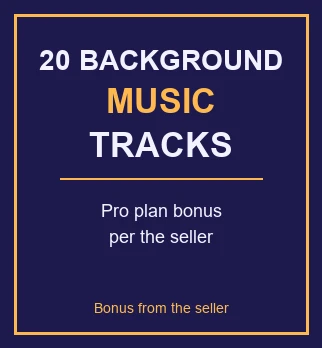
Choosing Pro brings the track set along with the rest of its features. Check the order screen to confirm what the tier you select includes. The hub page lists the same three figures for quick comparison.
How the guarantee and the credits interact
The guarantee runs for 60 days, and it carries a condition. Under the seller’s policy, a refund is off the table once more than half of the included AI credits are used. On Standard, that means going past 75 of its 150 credits. To ask for money back, open a ticket at help.instadoodle.com with the subject Refund Request, your account email, your payment date and your order number. Keep your confirmation email, since the order details in it are what the desk will ask for.
Ending a plan is a different action from asking for a refund. A refund also ends your access, and renewal payments or top-ups receive no fresh guarantee, according to the seller.
Budgeting a monthly subscription
Handle each tier as a recurring line in your budget. The $47, $67 and $127 figures repeat until you end the plan. Estimate how many videos you will build in a typical month, then choose the tier whose credits and features cover that workload. Put the renewal date on your calendar, so you can end a plan before the next charge if your needs drop.
Taxes, extras and the final screen
Our figures are the seller’s list prices for each tier. The seller says it offers no free version, so these are the first numbers you meet before any payment. The order screen adds any tax that applies to you and shows the total before you confirm. If the number there differs from the tier you chose, stop and compare the two before going further.
Confirm the total on the order screen
Monthly figures start at $47, and the final screen shows what you agree to.
Open the Order ScreenThe screen shows plan, price and seller · keep your confirmation email
Which workload fits which tier
A solo explainer maker who draws most scenes and records a narration usually finds the Standard figure covers the work. A trainer who needs licensed output for paid material has a clear reason to look at the Pro figure, because the commercial license sits there. A small agency that writes scripts, uploads its own footage and produces voiceovers in several languages has the most reason to weigh the Agency figure. In each case the monthly number stays the same at every renewal, so the question that matters is the workload.
Reading the monthly figure across renewals
Each renewal repeats the figure of the tier you chose, so that monthly number is the one to plan around. If you move to a different tier, the order screen shows the figure that applies to the new plan before you confirm. Keep a copy of the tier name and figure from your confirmation email, because the help desk will ask for them if a billing question comes up.
Three price checks before you confirm
- Match the tier name and figure to the table above.
- Confirm that the renewal wording on the screen says monthly.
- Check that the seller is named, and that the Standard tier shows 150 AI credits.
Those three checks are quick, and they catch the mismatches that matter most.
How the three tiers stack
The tiers build on one another. The seller describes Pro as everything in Standard plus its additions, and Agency as everything in Pro plus its own. The step up is therefore additive: moving to Pro keeps the Standard editor and features, and moving to Agency keeps the Pro library. Because of that structure, the useful question is rarely which tier to drop. It is how far up the ladder your work needs to go.
Planning credit use alongside the figure
The monthly figure shows what you pay, while the credit allowance shows how far that payment goes. Standard starts with 150 credits, and the seller says the cost of each action may change, so the same project can take a different share of the balance from one month to the next. A sensible habit is to note your balance at the start of a project and again when the first draft is finished. If the balance falls faster than you expected, that is the moment to revisit your tier before the refund condition becomes a live question.
Which tier to pick
Standard suits drawing and voiceover work. Pro is the tier to check for the commercial license, 2K and 4K output or the larger library. Agency suits teams that also want scripts and AI voices. Our InstaDoodle review gives the overall verdict, and the legitimacy checklist lists the points to confirm. The InstaDoodle hub keeps the features and the official details together.
Choose your monthly tier
Three monthly figures, one order screen, and the credits rule stated before you start.
Choose a Monthly TierMonthly until ended · a 60-day money-back guarantee with a credits rule


