Editorial verdict
Our 30-second take on InstaDoodle
Bottom line
InstaDoodle is a cloud web app for doodle-style videos, with no download and three monthly plans. Our editorial score is 3.8 out of 5. The seller says you can cancel anytime with no contracts, and the 60-day money-back guarantee comes with a credits rule. Check the plan, the credit use and the license terms before you subscribe.
Why buyers choose it
- Runs in a browser on Mac, Windows or any device with a modern browser, with nothing to install, per the seller
- Text-to-doodle drawing through DoodleAI, plus picture-to-doodle and 1,000+ built-in doodle elements, per the seller
- Three plans at $47, $67 and $127 a month, so you can match the plan to the features you need
- A 60-day money-back guarantee and a help desk for refund requests
Best for
Creators who make explainers, training clips or how-to videos, who want to build them in a browser from a text prompt, and who can plan their monthly credit use.
At a glance
- From $47 per month
- 60-day money-back guarantee
- From $47 a month, per the seller's page
- Cancel anytime, per the seller
- 60-day money-back guarantee with a credits rule
- Cloud app, nothing to install
What InstaDoodle is
InstaDoodle is a browser tool that turns a sentence into a hand-drawn style video. You write out a scene, the built-in DoodleAI engine draws the people and props, and you then arrange the slides, animate them and record or import narration. The publisher aims it at training clips, onboarding material, explainers and tutorials. Since everything runs in the cloud, you never install a program.
The official page presents three monthly tiers that start at $47. This article covers what each tier unlocks, how the 60-day money-back guarantee interacts with credit use, what to weigh before committing and where the order button leads.
Compare the three monthly tiers on the order screen
Standard, Pro and Agency, each on a rolling monthly charge that you can end at will.
Compare the TiersCancel anytime · keep your confirmation email
From a sentence to a finished clip
Most explainer makers begin with a script and a blank timeline. InstaDoodle inverts that order: the scene comes first, and the software fills in the artwork. The workflow, as the publisher describes it, moves through five steps:
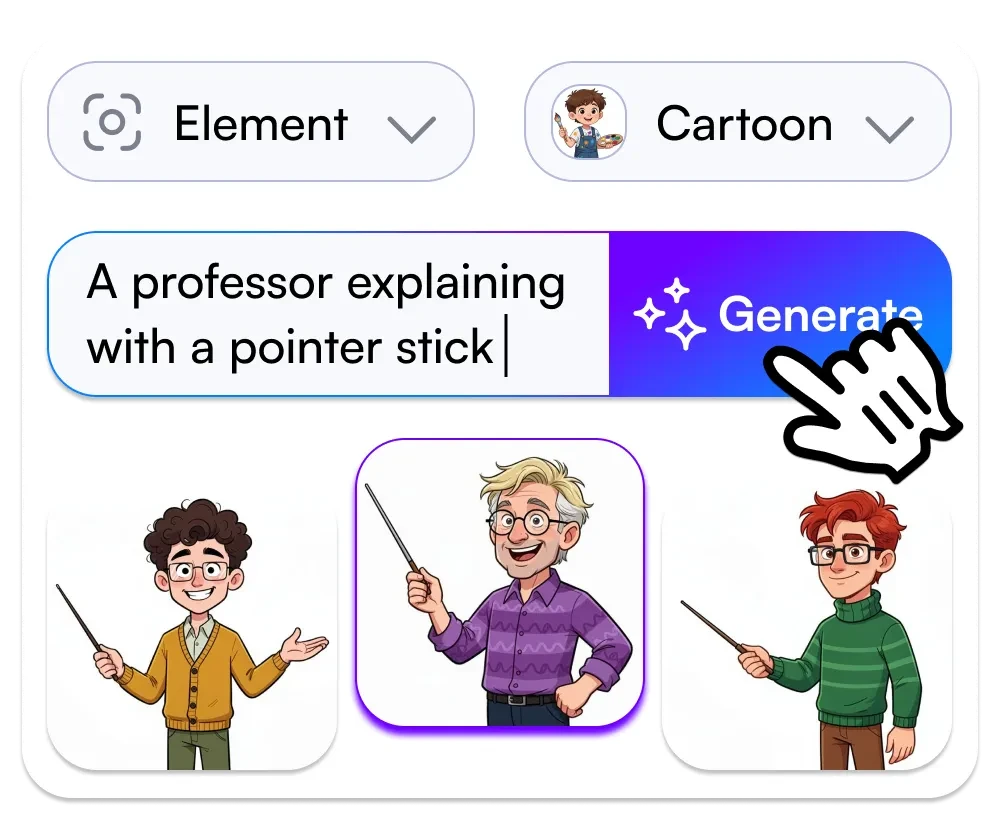
- Write the scene. A line such as a teacher pointing at a chart or a van being loaded will do.
- Let DoodleAI sketch it. Characters, props and backdrops appear based on that prompt.
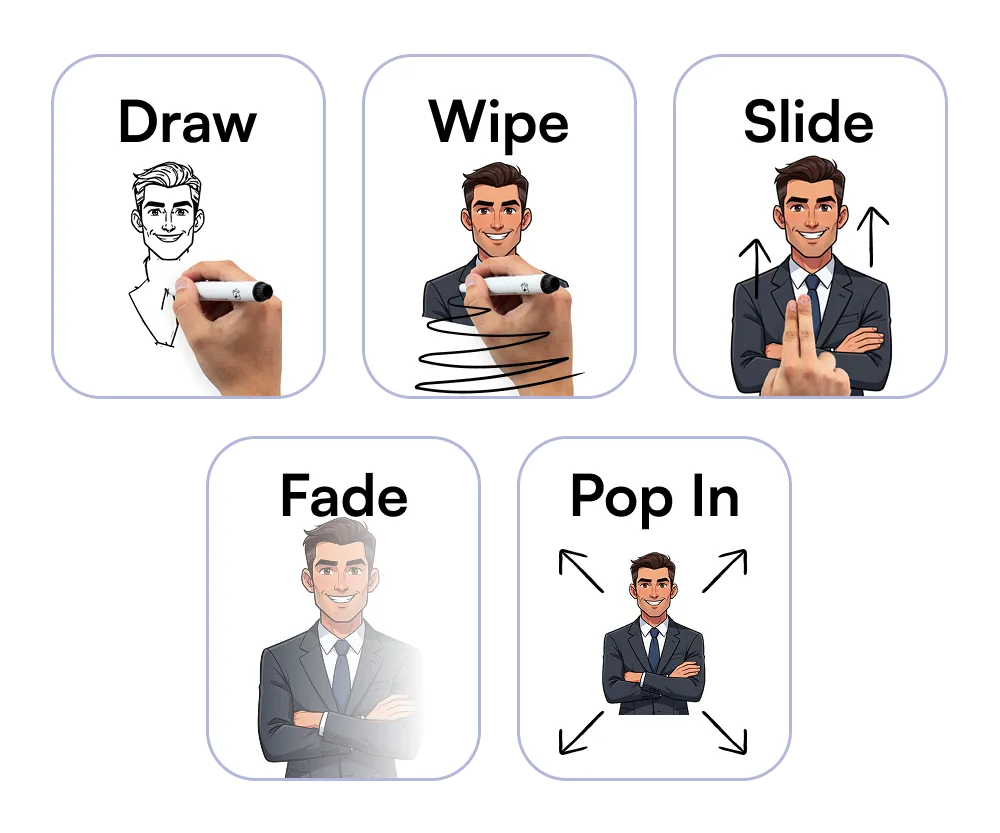
- Build the slides. Order the scenes, then choose a hand style and an entrance effect like Draw, Wipe, Slide, Fade or Pop In.
- Add audio. Pick generated narration, upload a recording or drop in background music.
- Export. Select 16:9, 9:16, 4:5 or a square crop. Standard renders at 1080p HD; Pro and Agency add 2K and 4K.
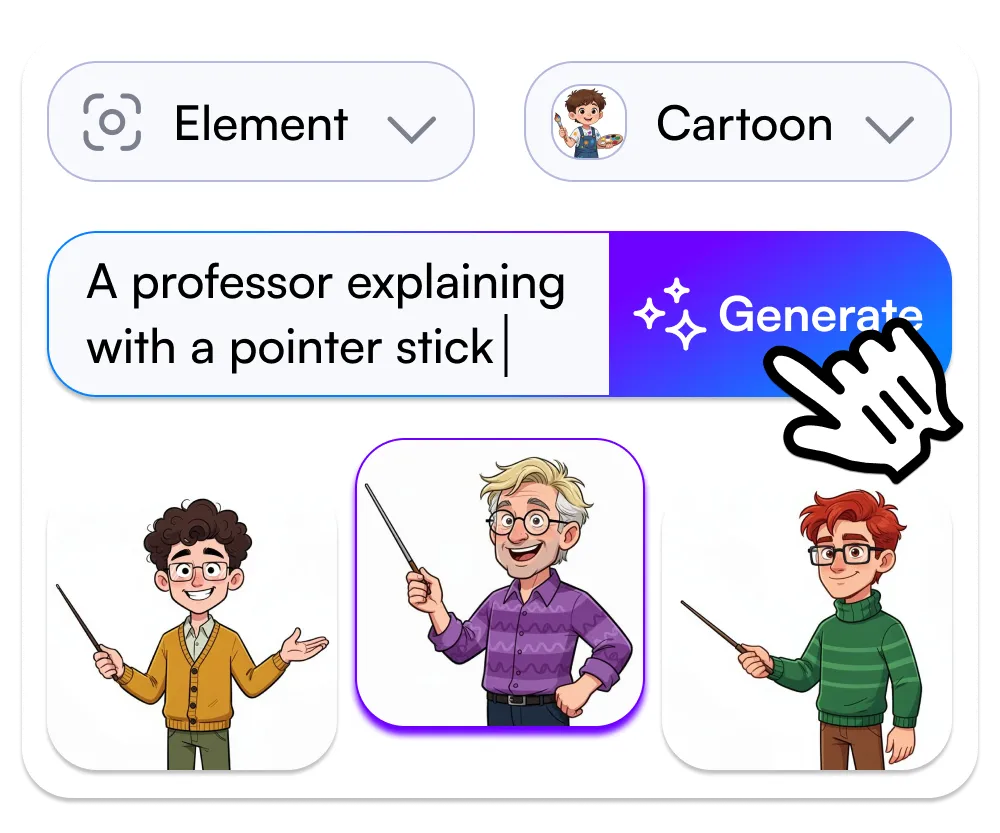
The picture above is one of the publisher’s illustrations. It depicts the prompt field and the characters returned from it, which is the stage where most of the artwork is produced.
Three monthly tiers, one shared logic
The official page lists Standard at $47 a month, Pro at $67 and Agency at $127. Every tier bills monthly and continues until you end it, and the listing mentions that no contract is required. The order screen repeats the tier name and the monthly figure, so use it as the last checkpoint before you confirm anything.
InstaDoodle official prices
Standard plan
Billed monthly, cancel anytime per the seller
$47/month
$47 total
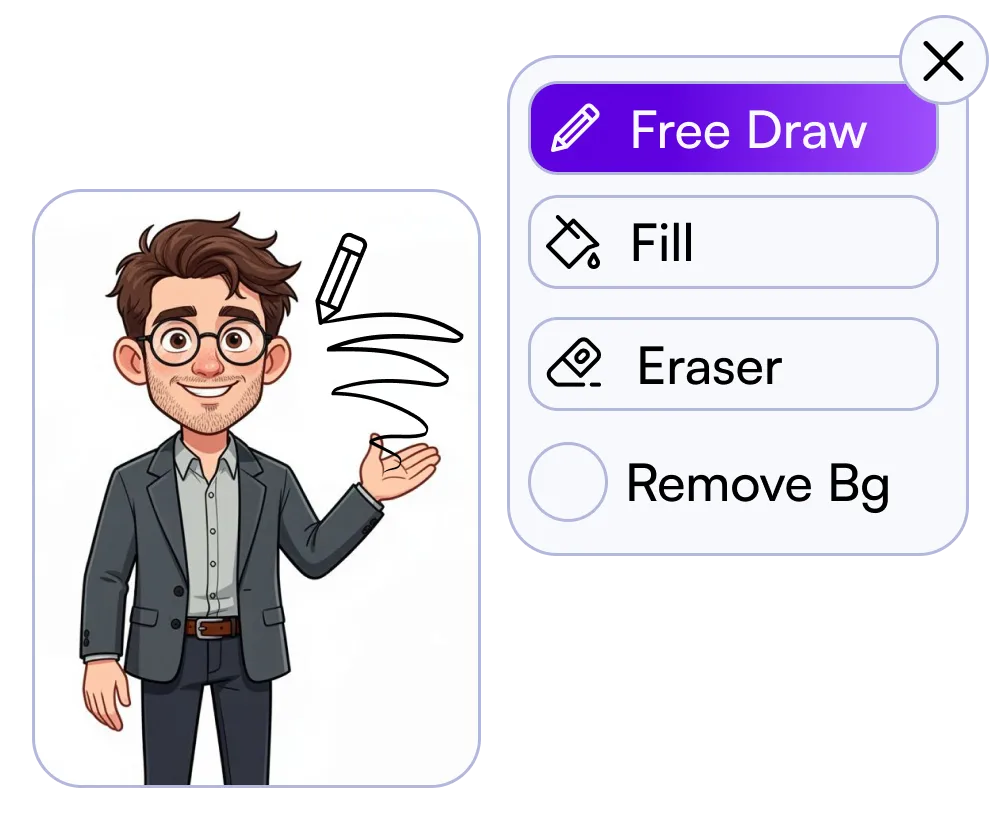
- Drag-and-drop editor and the option to upload your own images, per the seller
- Picture-to-doodle, with 150 AI credits included, per the seller
- Image editor with a background remover, and the DoodleAI engine
- 1080p HD export, 6 animation types and 6 AI styles
- 14+ templates, 8 drawing hands, 1,000+ built-in doodle elements and slide transitions

Most features
Pro plan
Billed monthly, cancel anytime per the seller
$67/month
$67 total
- Everything in Standard, per the seller
- 3,000+ PRO doodle elements and characters, 8 more hands and PRO AI styles
- 20 pro fonts, custom pro backgrounds and 4x variations per element
- Priority AI queue, 2K and 4K export and custom font uploads
- Commercial license, VIP support and the 20 Background Music Tracks bonus, listed under this plan
Agency plan
Billed monthly, cancel anytime per the seller
$127/month
$127 total
- Everything in Pro, per the seller
- AI Wizard, a script generator with automatic project creation
- InMotion, for uploading your own videos, plus transitions and 1,000+ animated elements
- AI Voices, with 6 voices in 30+ languages
Prices as published on the official order page (checked November 24, 2026). Tax and the final total are shown at checkout.
| Tier | Monthly price | What it unlocks, in the listing’s words |
|---|---|---|
| Standard | $47 | Editor, picture-to-doodle, 150 credits, background remover, 1080p HD, 6 animation types, 6 AI styles, 14+ templates, 8 hands, 1,000+ built-in elements |
| Pro | $67 | The Standard set plus 3,000+ PRO elements, PRO styles, 20 pro fonts, 2K and 4K output, custom fonts, the commercial license and VIP support |
| Agency | $127 | The Pro set plus AI Wizard, InMotion uploads and AI Voices with 6 voices across 30+ languages |
Find the tier that matches your clip volume
Start on Standard at $47 a month, or move up once you need the larger library or the extra tools.
Open the Monthly TiersMonthly charge · end it when you choose
Life on the Standard tier
The entry tier is built around the editor. You get drag-and-drop placement, the option to bring in your own images and a picture-to-doodle converter. An image editor with a background remover sits alongside the DoodleAI engine. The count of 150 credits is the allowance that AI steps draw from, and the rest of the list adds eight hands, fourteen-plus templates and slide transitions.
Keep the credit allowance in view, because it drives the refund line described further down. A heavy first week can use up more than the half-way point.
What the higher tiers change
Pro is the tier the listing highlights with a Most features label in our comparison. It opens a much bigger artwork library, PRO styles, four-times variations per element, a faster queue, custom fonts and backgrounds, and the larger export sizes. The commercial license lives here, along with VIP support.
Agency sits above Pro and brings three productivity tools. AI Wizard produces a script and can assemble a project automatically. InMotion accepts your own video footage and adds transitions. AI Voices supplies six voices in more than thirty languages.
The Pro bonus is a set of 20 Background Music Tracks. It appears under the Pro tier in the listing. Agency includes Pro, so the same bonus travels up the ladder.
Weigh what Pro adds before you pick a tier
Element volume, export sizes, the commercial license and the music set all sit on the Pro line.
See Pro at $67 a MonthMonthly billing · commercial license terms apply
The refund rule, in plain terms
60-day money-back guarantee on every InstaDoodle order
Your order is covered by a 60-day money-back guarantee, with a condition that matters more than any other clause. The refund policy turns away a request when more than half of the credits your plan includes have already been spent. Pause credit use once you file a request, because the policy asks for that during review.
Filing steps:
- Hold on to the confirmation. It carries the reference numbers the desk will ask for. Keep your confirmation email until the matter closes.
- Open a ticket at help.instadoodle.com. Use the label Refund Request.
- Add three facts. Your account email, the date you paid and the order number.
- Wait for the outcome. According to the listing, eligible refunds go out within 7 calendar days after the team holds enough information.
Ending a plan and asking for money back are separate actions. A refund also closes your access. Charges that renew later or any top-ups do not qualify for a fresh guarantee.
Pick Your Monthly TierMind the credit line from the first session
The guarantee only holds while half or less of your credits are spent, so track usage early.
Start With a Monthly TierKeep your confirmation email · help desk at help.instadoodle.com
Is it legitimate?
Several signals point toward a working operation. The company runs a help desk, posts terms and a refund policy, and lists tiers with prices. The app is presented as cloud-based and browser-ready, and the terms explain that the contracting entity is named at checkout. The refund policy carries a last-updated date of 10 November 2026.
Not everything can be confirmed. The element count, the render speed and any reach figure appear only in the company’s own copy. Our legitimacy article lists the questions we would put to any tool before paying.
Who fits, and who should look elsewhere
A good match is a person who produces drawn explainers regularly and would rather not sketch each frame by hand. That covers small business owners shipping onboarding clips, instructors who want short lessons with a spoken track and marketers who need a steady stream of simple visuals.
Three situations are less suitable. A single short project fits poorly, since tiers renew monthly. A Standard user who wants to sell clips commercially will need the license terms on Pro. Someone who expects exclusive copyright over AI output should reconsider, because the terms say such protection may not apply.
Match the tier to the clips you actually make
Count the clips you expect each month, then choose the tier whose toolset covers them.
Review the Tiers and PricesMonthly billing · confirm the figure on the order screen
Ground rules before you commit
The terms set out a few conditions that apply regardless of tier:
- Uploads travel. Prompts, files and projects are handled by the publisher and by outside AI services. Upload only material you have clearance to use.
- Output may be unprotected. AI-generated work may fall outside exclusive copyright, so inspect each clip before it goes public.
- Renewal is automatic. The subscription repeats until you cancel, so mark the date on your calendar.
- Credit prices can shift. The terms allow the per-action cost to change, which makes a periodic balance check worthwhile.
Ordering, step by step
Start from one of the buttons on this page. The official website is instadoodle.com, which hosts the tier list, and the login page is at instadoodle.app/user/login. The order sequence looks like this:
- Pick a tier. Standard at $47, Pro at $67 or Agency at $127, each billed monthly.
- Read the summary. Confirm the tier name, the figure and the seller.
- Finish payment. The order screen handles the card details.
- Save the confirmation. It documents the order for any later request.
- Sign in and begin. The account details come with your order.
How we rate it
Our editorial score for InstaDoodle is 3.8 out of 5. It is our judgment rather than a figure from users. The score credits the clear tier list, the browser-only setup and the written refund route. It discounts monthly billing, the refund cap tied to credits, a commercial license limited to some tiers and sales claims we cannot verify. The full review takes each area in turn.
Bottom line
InstaDoodle is a browser-based doodle video tool with monthly tiers from $47, a 60-day money-back guarantee and a credit condition that you need to plan around. For drawn explainers made from written prompts, Standard is the logical starting point. Pro and Agency earn their extra cost when you need the bigger library, the larger export sizes, the commercial license or the added tools.
Ready to draw your first clip?
Monthly tiers from $47, cancel at any point as the listing describes, and a refund route through the help desk.
Get InstaDoodleKeep your confirmation email · help.instadoodle.com for refunds