Getting Energy Revolution System comes down to three moves: reach one order page, let ClickBank collect the payment and open one email carrying the file link. This page walks through those moves, describes what the checkout should display and lists what to keep once the charge goes through. Stay on the official route for each step, because the refund terms attach to that route.
Head to the official order page
The PDF guide for $39 once, with a file link sent to your inbox.
Open the Order PageClickBank is the retailer · keep your confirmation email
Why the official route matters
The publisher’s refund terms, contact page and FAQ all live on the route this site links to. Copies that circulate elsewhere can omit those pages, and a copied file carries no ClickBank confirmation message. Without that message you have no order number to cite when you ask for help.
For that reason every button on this site leads to the same official route. Use it, and steer clear of any page that wants payment before it shows you a total.
What you are getting
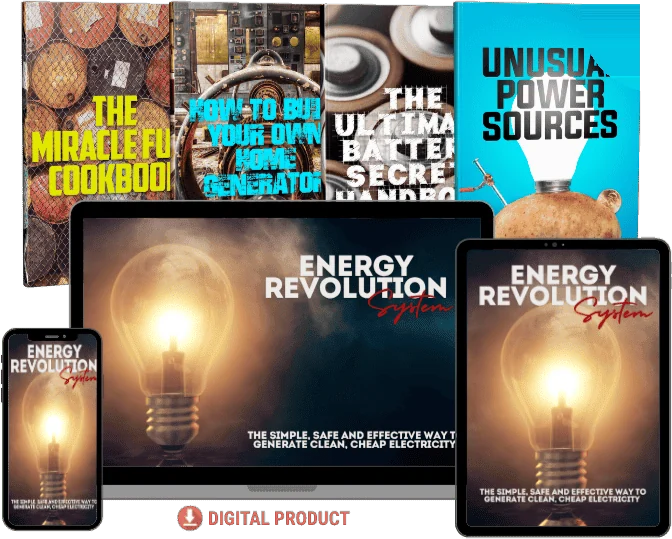
You are ordering one digital item: a PDF guide the publisher says covers a small home power device. The download holds a beginner walkthrough and a materials list. The price is $39, paid once, and nothing is posted.
The offer also names four bonus titles that concern fuel, alternators, batteries and other power sources. Those topics carry fire and electrical hazards, so read them with that in mind.
Choose the PDF guide on the order page
A single digital product at $39, delivered through a file link.
Continue to CheckoutSingle payment · order support at clkbank.com
Working through checkout
- Open the order page through a button on this site.
- Make sure the item is the Energy Revolution System PDF guide at $39.
- Read the total on the payment screen, and drop any upgrade you did not intend to add.
- Finish the payment inside ClickBank’s checkout.
- Save the confirmation message, then wait for the file link by email.
If the figure on the screen does not match what this page describes, stop and begin again from this site. A mismatch is a signal to pause, not to press on.
What the statement shows
The charge should show up on your bank statement as CLKBANK*EnerRevolution, according to the publisher. ClickBank runs the transaction, and its support desk sits at clkbank.com. If a charge appears under another name, compare it with your confirmation message before concluding anything.
After the payment clears
Once the payment clears, the file link arrives by email. Open the PDF in a viewer on your PC, Mac, tablet or phone, then store it somewhere you can find again. Keep the email alongside it.
Any add-on accepted at checkout should appear on its own line. Compare those lines with your confirmation message.
Requesting a refund
Each order is covered by a 60-day money-back guarantee. Keep the confirmation message, then write to the publisher at the contact-page address, with your full name, your order number and Refund Request as the subject line. The desk aims to respond within 48 hours, and the card credit can take 3 to 5 business days after that.
The publisher asks that you refrain from a bank dispute during that stretch. Once the refund is processed, your access to the guide is removed.
Order once the figure matches this page
$39 once for the PDF guide, with a 60-day money-back guarantee.
Order Energy Revolution SystemKeep your confirmation email · ClickBank is the retailer
Safety before any build
Placing the order does not alter the safety picture for the work it describes. Home electrical and generator projects carry fire and shock risks. Observe local codes and permits, engage a licensed electrician for anything joined to the house, and keep combustion equipment outdoors.
The price page sets out the figures line by line, and the official website page explains how to tell the genuine route from a copy.
Go to the official order page now
Check the $39 figure, keep the confirmation message and use the refund steps if you need them.
Get Energy Revolution System60-day money-back guarantee · clkbank.com for order support