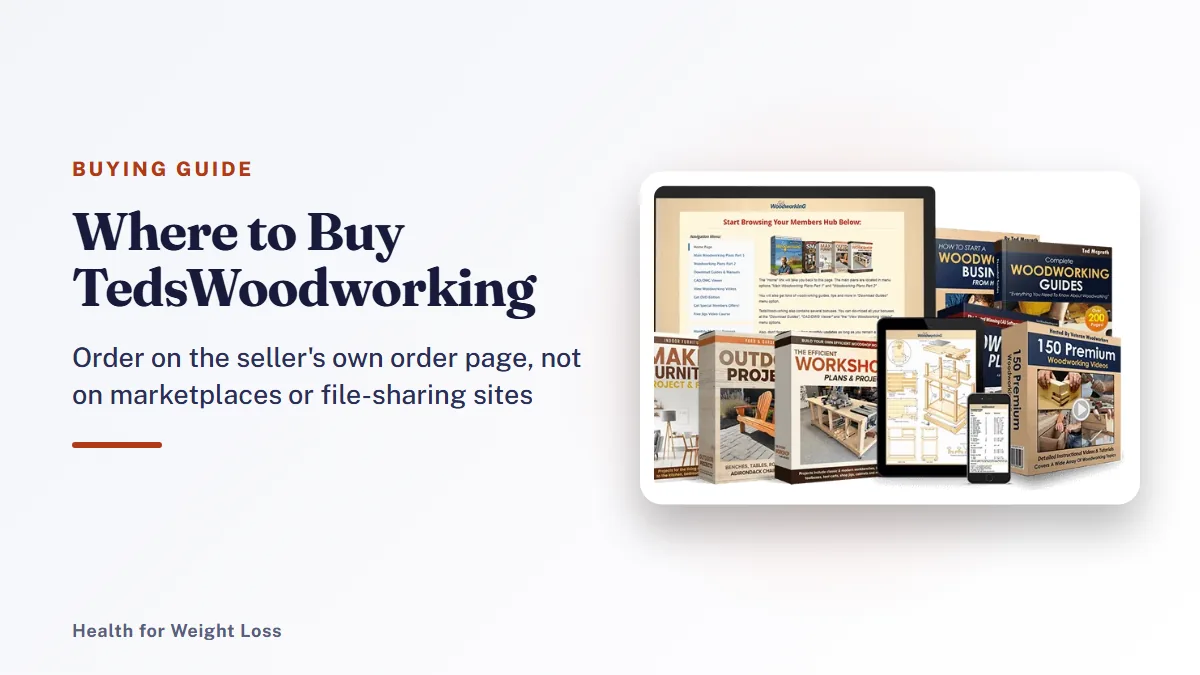
Knowing where to buy Teds Woodworking saves you from a lookalike listing, a file-sharing page or a copy that carries no members login. The order route is the one the seller uses, reached from the button on this page and paid through ClickBank as retailer. This guide lays out the route step by step and explains what to check at each stage, so you start from the right place.
Start from the official order route
The button opens the seller’s order page for the plan library, at $67 in one payment.
Go to the Order PageClickBank is the retailer · the total appears before you confirm
Where to buy Teds Woodworking, step by step
- Start from a button on this page. It opens the seller’s order route through ClickBank, the retailer for the product.
- Check the name and the total. The checkout should show TedsWoodworking and $67 as one payment.
- Complete the payment. Use the card or PayPal option the checkout offers.
- Keep the confirmation email. It holds the order details you will need for any later question.
- Sign in to the members area. Use the login the seller provides to reach the plans, the viewer and the add-ons.
Why the official route matters
The seller runs a members-area product, and the login, the downloads and the support page all sit inside that arrangement. A copy from a marketplace listing or a file-sharing site leaves the members area behind. You would not get the seller’s login, and you would have no clear route to the support page if you needed a refund. Going through the order route on this site keeps every part of the purchase in one place.
Why the order route is the default
The order route is simply the page that matches the product you read about. A walkthrough such as this one explains what is inside the library, and the button here takes you to the page that sells it. Starting from the same place every time also means the price, the retailer and the guarantee wording you read in advance are the ones on the checkout screen. A mismatch between the article and the page is the signal to stop and check again, not a reason to continue.
Places to avoid
Some pages look like a way to save a step, but they do not give you the product. Be wary of marketplace listings that offer the plans on their own, of file-sharing pages that promise free downloads, and of any payment page that does not name TedsWoodworking. If you land on one of those, close it and start again from a button on this site.
What to check on the order page
Before you enter any payment details, read the page. The product name should be TedsWoodworking. The price should be $67 as a single payment. The retailer should be named as ClickBank. If the page asks for details without showing a price, step back. Copy the total into your notes so the confirmation email and any later message tell the same story.
After the order: the members area
Once the order clears, the confirmation email arrives with your order details. Read it through before you close the tab, and check that the product name and the amount match what you saw on the order page. Anything that does not match is worth raising with the seller’s support page straight away, while the order details are still fresh in your inbox. Sign in with the login the seller provides. From there you can search the catalogue, open a plan, download the PDF or DWG file and use the viewer for drawings. The seller says the area works from a phone, a tablet or a computer, so you can sign in from whichever device is closest to the workshop.
Order once, through the right page
One payment of $67, with the plans, the viewer, the videos and the guides.
Order the Plan LibraryRetailer: ClickBank · keep your confirmation email
Checking the order page against this guide
Use this guide as a checklist. The button should send you to a page that names TedsWoodworking, not a generic plan site. The price should be the one this article gives, $67 as a single payment. The payment step should name ClickBank as the retailer. And the page should carry the seller’s own description of the plan library, with its members-area login, its catalogue and its support route. If one of those items is missing, treat the page as unconfirmed and go back to the button on this site. The TedsWoodworking hub lists the same product facts for a side-by-side check.
Keep this check short. You are not hunting for hidden terms; you are confirming that the page is the one this guide points to. Once that match is clear, the rest of the order is ordinary checkout.
Why a single route keeps support simple
Support works best when there is one product, one retailer and one seller. Buying from the order route keeps those three in step. If you later have a question about a plan, the members area is where you sign in. If you have a question about the charge, ClickBank’s order support is the place to write. If you want to ask for a refund, the seller’s support page is the route. A copy bought elsewhere breaks that chain, because the people who answer your question may not be the people who sold you the product. There is also a practical side. Without the order details from the official route, a support team has no reliable way to match your message to a purchase, and that slows every step that follows, from a download problem to a refund request.
For the refund side of that chain, the money-back guarantee article walks through what to keep and where to write.
Keep the chain in one place
Order from the official route and keep the confirmation email with the order details.
Order From the Official RouteSingle payment of $67 · ClickBank is the retailer
A short pre-payment list
Before you confirm, run through one more list. Is the product name on the page TedsWoodworking? Is the price $67, shown as one payment? Is ClickBank named as the retailer? Do you have an address where the confirmation email can reach you, and a login you can remember? Have you noted the support page address, so you can find it again if you need to write? Each of those answers takes a few seconds, and together they cover the points that make a later question quick to settle or slow to untangle.
Payment questions and ClickBank
ClickBank handles the payment side of the purchase. For a question about a charge, the ClickBank order support page at clkbank.com is the route to use. For the plans, the members area and any refund request, use the seller’s support page, because the seller is the party that supplies the product. Keeping those two routes apart saves time when you need help.
Before you check out
Give the page a last look before you confirm. Check the name, the price and the retailer, then read the guarantee wording the checkout shows. The seller describes a 60-day money-back guarantee, and the support route for it is the seller’s support page. If something on the page does not match this guide, trust the page you see and ask the seller about the difference through its support page.
For more on the guarantee, the money-back guarantee article explains the refund route in full, and the official-website guide shows how to tell the genuine order page apart from lookalikes. The TedsWoodworking hub holds the rest of the product facts, and the where-to-buy page repeats this route in a shorter form.
Use the route on this page
Start at the order page for the library and check the $67 total before you confirm.
Continue to the Order PageSingle payment of $67 · ClickBank order support at clkbank.com


