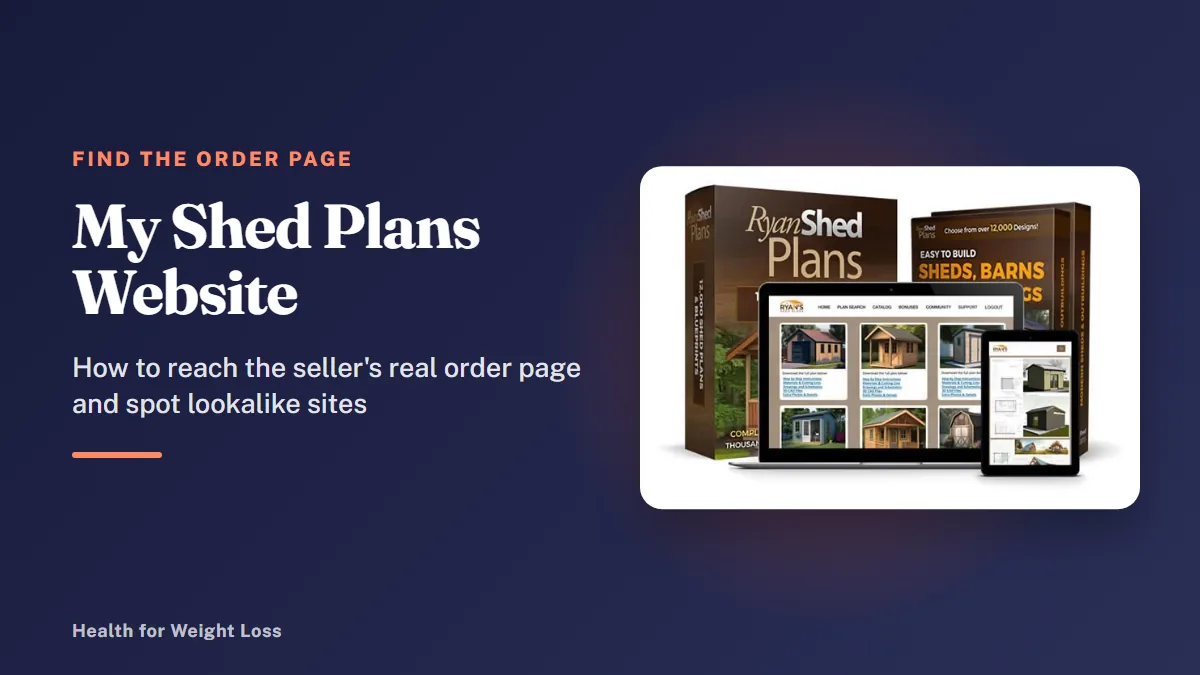
The My Shed Plans official website is the seller’s page at myshedplans.com, and this guide shows how to reach it and what to check once you arrive. The product appears as RyanShedPlans on the seller’s own page and box, so the label can differ from the one you typed. Our button leads to the seller’s order page, and each step below explains what to confirm.
Reach the order page through our link
Then confirm the $37 one payment on the checkout screen.
Open the Order PageClickBank handles the checkout as retailer
My Shed Plans official website: the domain to look for
The domain belonging to the seller is myshedplans.com. Type it yourself or open it from a bookmark rather than from a sponsored search result. The page title reads like the seller’s branding, and the logo and footer carry the RyanShedPlans name, with Ryan’s Shed Plans as a variant. All of those names point to the same seller and the same library.
What you see on the seller’s site
The page presents a members area stocked with roughly 12,000 plans and designs, in every size and style from classic through modern. It lists each roof type the library covers, from gable to flat. It adds a custom plan request called “We Have It Or We’ll Get It”. According to the seller, a members-area form asks for dimensions and an outline, and staff produce a bespoke layout within two weeks at most. New plans, the page says, arrive monthly.
Order buttons on the official page route visitors into a ClickBank checkout, where the order is completed. The page does not replace that checkout with a different payment screen, so check the total there before you confirm.
Why our link opens the seller’s page
Our button sends you to the seller’s order page through a ClickBank tracking link, so the page you reach is the seller’s own. We do not run the order ourselves. The checkout belongs to the seller, and ClickBank processes the payment as retailer. Because the seller runs the offer and ClickBank runs the payment, each question belongs with the party that can answer it: the offer itself with the seller’s ticket route, and payment questions with ClickBank.
Checking the page before you pay
- Confirm the domain reads myshedplans.com.
- Look for the RyanShedPlans name on the page or on the box art.
- Check the checkout total: $37, as one payment.
- Read any optional add-on before you confirm, including the DVD line, which the seller says ships in 12 to 18 working days.
- Keep the confirmation email once the order completes.
If any step does not match what you see, pause on that step. A mismatch in the domain, the total or the checkout is a reason to stop and begin again from this site. It is not a reason to enter card details and hope the difference resolves itself.
Reading the seller’s claims on the site
The official page makes several claims about the library. It names about 12,000 plans, monthly additions and a custom plan that the team drafts within 2 weeks or less. It also gives the formats: zip files of PDFs, with a free Adobe Acrobat Reader needed to open them. We have not confirmed these numbers ourselves, so treat them as the seller’s position. The sensible move is to put any question about them in writing before you order. The My Shed Plans hub lists the same claims in one place, so you can compare them with the page.
The order steps from the official route
The steps below follow the seller’s route from the domain to the members area. Each one is a point to confirm on screen.
- Open the order page from this site, or type myshedplans.com yourself.
- Read the offer: $37, one payment, with the four bonuses named.
- Click the order button and move to the ClickBank checkout.
- Check the total and any optional add-on before you confirm.
- Complete the order and keep the confirmation email.
- Download the zip files from the members area, then open the PDFs with a free Adobe Acrobat Reader.
Follow the steps from the top
Start at the order page, confirm the total and continue to checkout.
Start the Official OrderClickBank is the retailer · a 60-day money-back guarantee applies
What the names on the site mean
You will see several names. The seller’s logo, footer and box use RyanShedPlans. The page title uses Ryan Shed Plans, and the seller also writes Ryan’s Shed Plans. This site calls the product My Shed Plans, which is the name this site uses throughout. These are variants of one listing. A name difference by itself does not change the product, the price or the seller. The domain and the checkout are the two things to confirm.
When a page looks different
If a page offers a different price, a different domain or a different payment screen, do not continue on that page. Go back to the order page from this site and start again. The checks on this page cover the seller we describe, the $37 one payment and the ClickBank checkout. Anything beyond those is outside what this page can confirm.
The order page you reach from this site is the place to confirm the total, and the seller’s own pages are the place to read about the library. Keep those two roles apart when you compare notes. The page describes the product, while the checkout sets the price and the payment. If the page and the checkout disagree on any detail, the checkout’s total is the figure that governs your order, and the ticket route is where to raise the gap.
Lookalike names and search results
Search results can show similar names, sites on another domain, or pages that describe the library without selling it. If the domain differs from myshedplans.com, stop and open the order page from this site instead. Support is through the seller’s ticket forms, and a message sent to an address the seller does not list is not a route the seller offers.
Refunds and support on the official route
Help requests move through ticket forms that the desk reads on weekdays, 8am to 6pm, with no telephone option. A 60-day money-back guarantee applies, according to the seller. Your confirmation message carries the order details the desk asks for first, so hold on to it. ClickBank’s order support at clkbank.com covers payment questions that the seller’s route does not settle. If you need to write about the page itself, a short message that quotes the domain, the order step and the total you saw gives the desk the context it needs in one go.
Confirm the domain, then order
myshedplans.com, the $37 one payment and the ticket route for support.
Continue to the $37 OrderSingle payment · keep your confirmation email
Our verdict on the official website
My Shed Plans is sold through myshedplans.com and a ClickBank checkout. The seller’s pages describe a large plan library for one $37 payment, and the route to a refund is named. Verify the domain, confirm the figure and hold on to the confirmation message. For wider context, see is My Shed Plans legit and where to buy My Shed Plans. The official website sub-page holds the catalog version of this check, and the My Shed Plans hub keeps the product facts together.
Open the real order page
Start from this link, check the total and continue.
Order the Plan LibraryClickBank is the retailer · a 60-day money-back guarantee applies


