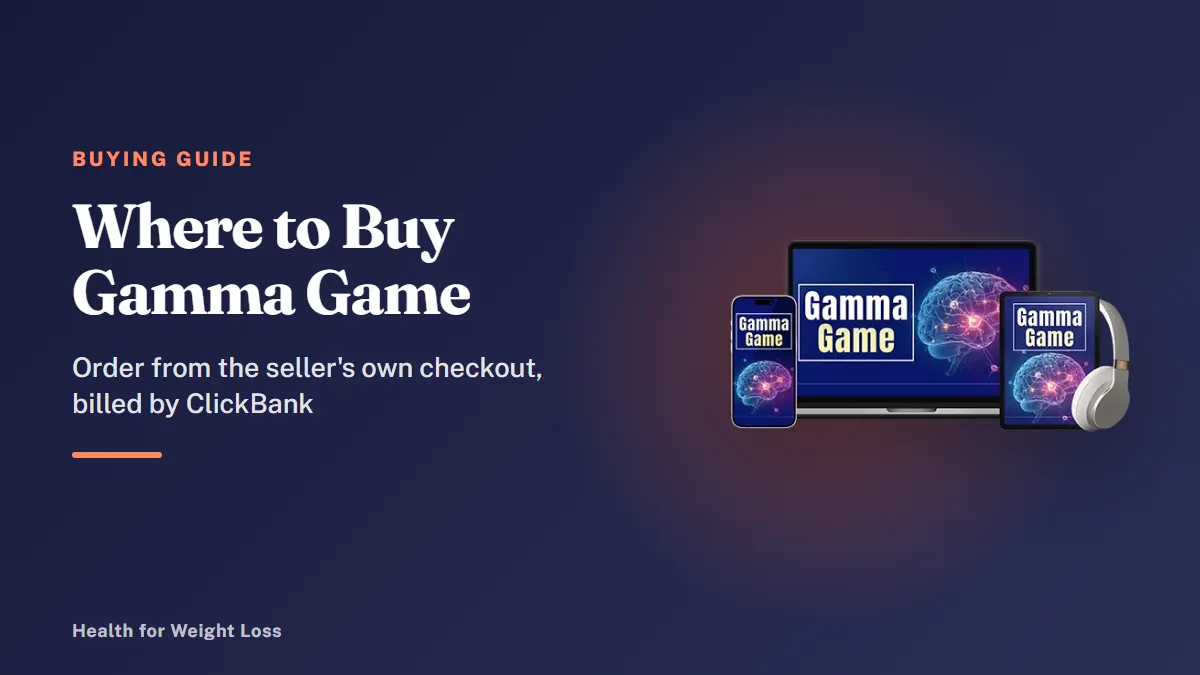
Buying Gamma Game means ordering through the seller’s page, which lives at gammagameoriginal.com. Our order buttons take you to that same page. ClickBank handles the payment at checkout, and the total there should read $39. Below you will find the route, the steps and the reasons one ordering page is the sensible choice.
Open the seller’s order page
One payment of $39, with instant access and three free bonus guides.
Go to the Order PageClickBank checkout · 90-day guarantee
Where the order button leads
Our order buttons lead to one destination: the seller’s order page at gammagameoriginal.com. It presents the program, the $39 charge and the checkout route, and it matches the offer described on the seller’s video, text and short pages.
Clicking the button from here is the cleanest way in. Typing a search result or following a link from an unknown page can land you on a copy that has no seller support behind it. The Gamma Game hub describes the program before you go to the order page.
Quick steps to order Gamma Game
- Press the order button on this page.
- On the seller’s page, confirm that the program is Gamma Game and that the price is $39.
- At ClickBank checkout, enter your email address and card details.
- Check that the total reads $39 before you confirm.
- Keep the confirmation email with your order number.
- Open the members area and start your first session.
Six steps from here to your first session
Order once, check the total and keep the confirmation email.
Start the Six-Step OrderClickBank checkout · 90-day guarantee
Who handles what
Ordering from one page is easier to follow once you know who does what. The split looks like this:
| Task | Who handles it |
|---|---|
| The program, the audio, the puzzles and the guides | The seller, through the members area |
| Taking the payment at checkout | ClickBank, the retailer |
| The receipt and the bank statement line | ClickBank |
| Product questions | The seller’s support at [email protected] |
| Order support and refund requests | ClickBank order support at clkbank.com |
Keep both routes in mind. A question about the program goes to the seller, while a question about the charge or a refund goes through ClickBank with your order number. If you are unsure which route a question belongs to, start with ClickBank for anything about the charge and with the seller for anything about the program itself.
What the seller’s order page shows
The order page is where the offer comes together. It names the program, sets out the single price of $39, and carries the guarantee line that describes the 90-day window. It also shows the bonus line, which is where the three free bonus guides are described. Read each part once before you move on to checkout, because the order page is the last place to confirm what you are agreeing to.
Why order only from the seller’s page
Three reasons point to one page. It is the route to the program itself, with instant digital access after checkout according to the seller. The 90-day guarantee is tied to that order through ClickBank. And the three bonus guides ride along with it, as the page describes.
The seller states that the program is sold only through its own pages. We repeat that as the seller’s claim, which is why we send you nowhere else. Another reason is simplicity. One order page, one checkout and one confirmation email keep every part of the purchase on a single trail, which makes any later question easier to answer. If you have seen the program described on other sites, check the order details here before you decide, so you compare the same product on the same terms.
Common questions at the order step
What if I ordered by mistake? Contact support with your order number as soon as you notice. The 90-day window runs from the purchase date, and refund requests go through the ClickBank route described above.
Can I order for someone else? The seller’s terms say each copy is for one person’s private use, so an order is meant for the buyer’s own use.
Where can I see the price again? On the order page itself, and in our Gamma Game price guide, which sets out the same $39 figure.
Before you press the order button
Have three things ready before you start: the device you plan to use for the audio, the email address you want on the order, and the card or PayPal account you will pay with. Spell the email address carefully, because your order confirmation and every support message depend on it. Read the total one last time, and decline any optional extra you do not want when a follow-up screen appears.
If the checkout looks different
If the checkout shows a figure other than $39, or a product name you do not recognise, stop before you enter payment details. Go back to the order button on this page, compare the two screens, and check the seller’s pages again. If a difference remains, write to [email protected] before you pay, so the answer is on record before any money moves.
What ClickBank does for you
At checkout, ClickBank is the retailer: it collects payment, issues the receipt and staffs order support. The charge appears on your statement as CLKBANK*The Gamma Game. Refund requests on the 90-day route also pass through ClickBank, so keep the purchase date handy. For help, go to clkbank.com and quote your order number. Support for the product itself runs through [email protected].
The 90-day refund window also runs through ClickBank. Keep the purchase date from your confirmation email, since that date starts the count.
The three free bonus guides
Each order, per the seller’s page, includes three complimentary guides. Covers appear below. The order page itself gives the titles and contents, so match them against your confirmation email later.



For a full description of the pieces, read the what’s included page, and the where to buy page keeps these order steps in a shorter form.
Bonus guides, delivered with your order
Three free guides per the seller’s page, alongside the audio and puzzles.
Get the Program With BonusesPaid through ClickBank checkout · 90-day guarantee
Lookalike copies and where not to pay
Watch for pages that point you elsewhere to pay, or that push a file download in place of an order. Such copies lack seller support and sit outside the ClickBank refund path. Use the order buttons here and read the checkout total before entering anything.
After you order
Once the purchase goes through, keep the confirmation email, open the members area on the device you plan to use and start the session when you are ready. If anything misses the mark, reach out to the seller’s support or ClickBank order support, giving the order number and the address used at purchase.
A sensible sequence after payment is simple. Check the confirmation email against the total you approved, then open the members area on the device you plan to use when you are ready. If you cannot reach your access, look for the confirmation in your spam folder first, then write to the seller’s support with your order number. Do not pay again on another page while you wait, because a second purchase is not the same as a fix.
Keep taking any prescribed medicines and ask your doctor first. Gamma Game does not take the place of seeing a doctor. For the safety points, see the Gamma Game safety page, and the Gamma Game hub lists every page in one place.
Two related guides may help before you order. Our guide to the seller’s pages explains how to reach them, and the money-back guarantee guide sets out the refund steps.
Order from the seller’s page today
$39 once, instant access and a 90-day window to ask for a refund.
Place My $39 OrderClickBank checkout · 90-day guarantee


