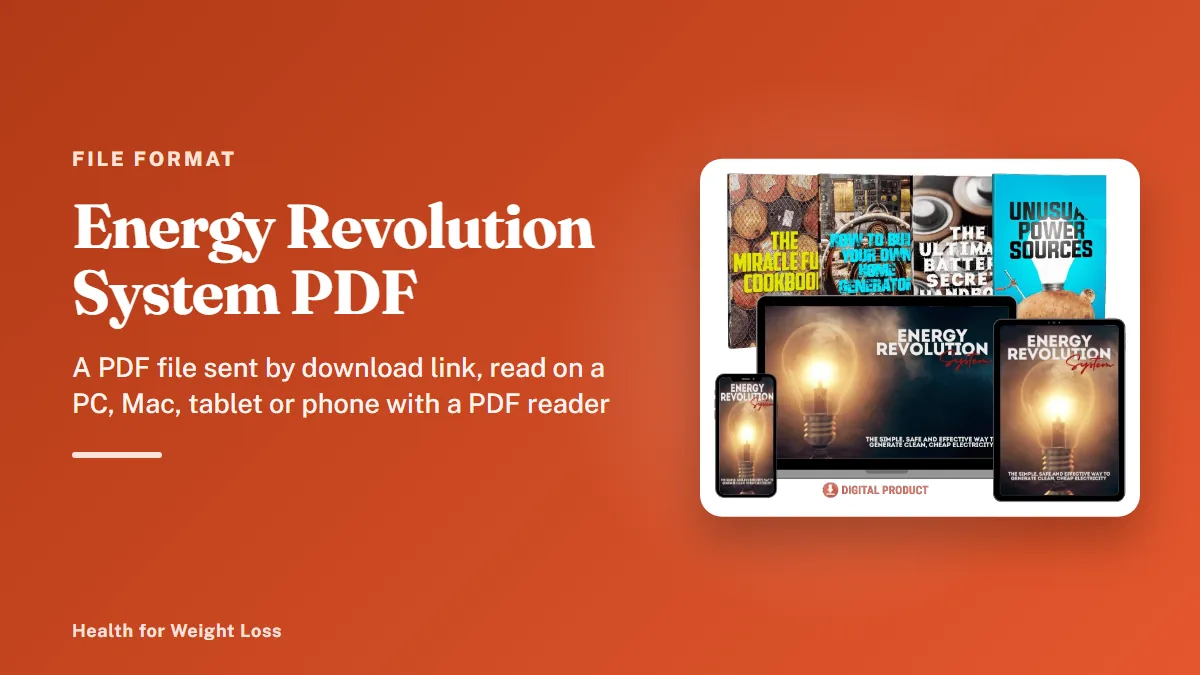
The Energy Revolution System PDF is the only format the seller offers. After checkout, a download link arrives by email, and the file opens on a PC, a Mac, a tablet or a phone once a PDF reader is installed. This page walks through the delivery route, the devices the seller names, what to prepare beforehand, and why copies offered for free elsewhere are not the same as the real guide.
Get the file by email
One $39 payment, then a download link in your inbox.
Order the PDF at $39ClickBank is the retailer, and the receipt comes from it
Energy Revolution System PDF: the delivery route
The order runs through ClickBank, which takes the payment and sends the confirmation message. The seller describes the product as an instant download, so the link inside that message is how you reach the file. Nothing else in the process is needed to open it, which is one reason the format is straightforward once the email has landed.
Because the link travels by email, the mailbox you typed at checkout matters a great deal. Check that the address is correct before you confirm, and look in your spam or promotions folder if the message does not appear within a few minutes. The sender will be ClickBank, so search your inbox for that name if the message is buried.
Save the email as soon as you find it. It carries the order details, and it is the document you will want if a refund request ever becomes necessary. Think of it as the record of what you bought, not as a passing receipt you can delete once the file opens.
Which devices can open the file
The seller says the file works on any PC, Mac, tablet or phone. That covers the screens most homes already have, but the device alone is not enough. The device also needs a PDF reader, which is separate software. Many computers and phones include one, and free readers are widely available, so the check takes only a minute.
A practical check is to open the download link on the device you plan to use for reading. If the file appears and you can scroll through it, you are ready. If it does not, install a reader and open the link again, rather than assuming the file is broken. Reading on a large screen may suit diagrams better, but the seller does not require one.
What to prepare before the file arrives
Before the email lands, set up three things. First, pick a PDF reader for each device you intend to use. Second, leave enough free storage for the file and for a second copy you keep somewhere safe. Third, create a folder for the guide, so the file does not get lost among photos and other downloads. None of these steps costs money, and each one saves time later.
It also helps to walk through your home and note which items you already own. Once you open the materials list, the seller says it will name what a project calls for. Comparing that list against your existing tools and supplies is the quickest way to see how much of the project remains open.
Nothing is posted, so plan around the download
The seller is clear that this is a digital product. No parcel comes to your door, and nothing is printed or sent in the mail. If you want a paper copy, that is a step you take yourself, and the seller’s pages do not describe any printing arrangement. Check the file’s own terms before you share it with anyone, because the seller’s terms govern what you may do with the contents.
This matters for planning. You do not wait for a delivery date, and the file is available as soon as the email arrives. That speed is the main practical advantage of the format, and it is the reason the download route deserves a careful look before checkout.
Free copies found elsewhere are not the real guide
Searches sometimes return sites that offer the guide for nothing. Those copies are not the real guide, and this article will not name them. A file from an unknown source may carry malware, may be an altered version, or may leave out parts that the seller’s own file contains. You have no way to check any of that from the copy itself.
The only copy tied to the seller’s terms comes from the order page. If a result promises the file at no cost, read that promise as a warning about the source rather than as a bargain. Downloading from an unfamiliar site also exposes the device you use for banking and email, which is a good reason to stick with the official route.
Use the official route for the file
A single $39 charge, a download link by email and a 60-day money-back guarantee.
Open the order pageKeep your confirmation email for any refund request
Keeping a copy you control
Once the PDF is on your device, back it up. A single copy on a laptop that fails or gets replaced can leave you without the file. Copy the PDF to a second location you check regularly, and keep the confirmation email alongside it. The two together give you the download and the order record in one place.
Be careful about sharing. The file is the seller’s product, and passing it to other people may breach the seller’s terms. If someone in your household wants to read it, the simplest route is for them to order their own copy through the order page.
How the file fits the $39 charge
The seller lists the price at $39, charged once. The PDF is the only item the seller names as part of that charge, and any upgrade offered at checkout appears as a separate transaction, according to the seller’s FAQ. Read the checkout screen before you confirm, and decline any line you did not come to order.
Our price article breaks down the single charge in more detail, and the catalog FAQ collects the seller’s answers on delivery and access in one place. For the broader offer, the Energy Revolution System hub puts the facts side by side.
When the file opens: a reading order
Once the PDF opens, a sensible order helps. Start with the seller’s quick-start material, then read the materials list, then move to the main build section. As you read, mark every item the file calls for that you do not own, and every step that names a permit, an inspection or a licensed trade. Those marks become your planning list.
Before you act on any step, check it against the rules in your area. A PDF can describe an approach, but that approach has to fit your property and your local authority’s requirements. Our review explains how we scored the offer and sets out the seller’s disclaimer in full.
Ready for the PDF?
A single $39 charge, delivered by email, with a 60-day money-back guarantee.
Open the order pageOne payment through ClickBank · keep your confirmation email
Before you confirm the order
Check three things at checkout. The total should read $39 for the guide, with any extra line shown on its own. The email address should be one you read every day. And you should have a PDF reader ready on the device you plan to use. With those three checks done, the download link will be waiting when the message arrives.
If you still have questions about the offer as a whole, the hub is the place to start, and it links to the review, the price page and the complaints article. Read those alongside the file, and keep notes on anything the PDF leaves out.
Start with the download
One payment of $39 and a PDF that opens on the devices you already use.
Get the PDF guideCheckout and delivery run through ClickBank


